VCORE PULSE 2.2 / User guide
Know your machine. Understand its story.
A guide to move from numbers to context. Explore Pulse, step by step, at your own pace.
Choose your installer
The owner accepted Windows x64 v16 on two PCs, including Pix and a real international card purchase. Linux x64/ARM64 and macOS Intel/Apple Silicon have validation packages with native SQLCipher and bundled fonts. See the platform matrix for tests and requirements; user-machine manual acceptance is still pending.
Pulse 2.2 installers available →Next chapterInstall or update on Windows
- Close the Pulse window and run the installer for your system.
- Use the Windows account that owns the installation and its protected data.
- Wait for completion and open VCore Pulse 2.2 from its shortcut.
- The local dashboard opens at
http://127.0.0.1:4173. This address refers to your current computer, not another computer on the network. - Check the displayed build, collection and history. A new machine has not yet accumulated operational memory.
Do not delete data or copy another machine's database to fix installation. Updates preserve identity, memory and licensing. On failure, retain the displayed code and install.log and contact support.
UPDATE_INSTALL_SCHEMA_UNKNOWN can affect legacy installations without release metadata. New builds recognize the reviewed legacy schema declarations and additive migration paths. Unknown versions remain blocked. Validation on the originally affected computer is still necessary.
Understand the dashboard
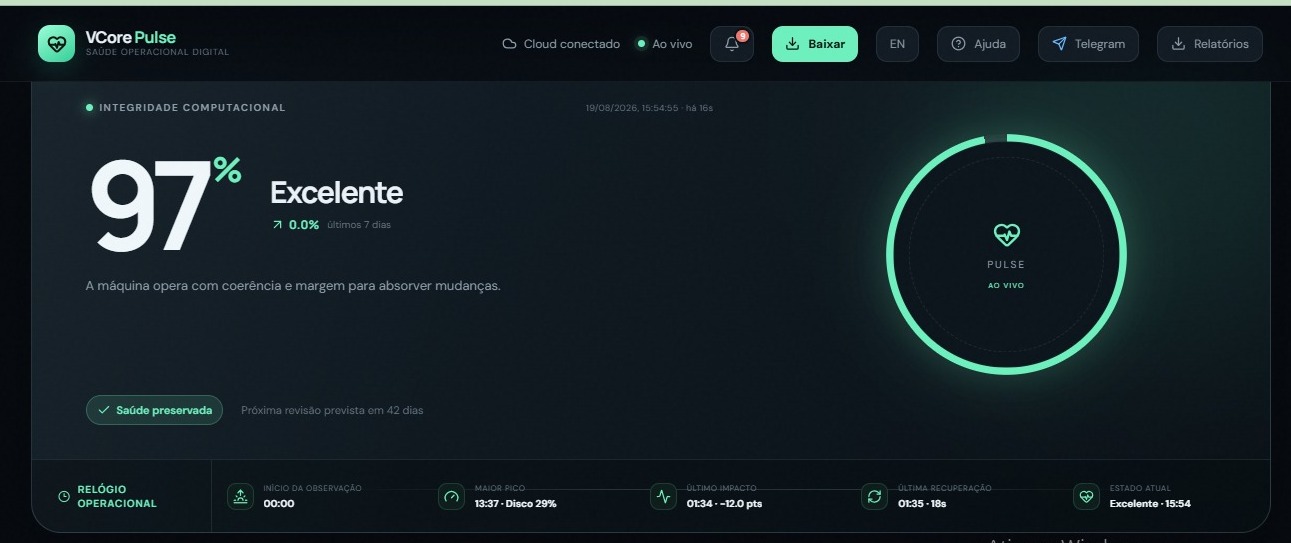
These are real screenshots already published for Pulse. The 2.2 interface may differ; these images are not acceptance evidence for its new installer.
- Operational health: a summary supported by observations and context.
- Response and recovery: how the machine reacts and returns to its usual behaviour.
- Instability: observed variation.
- History: age and continuity of available memory; powered-off time is not continuous observation.
- Processes and resources: CPU, memory, disk and other available sensor evidence. Capabilities depend on the platform.
A high score does not guarantee freedom from failure. Pulse supports analysis; it does not replace backups, antivirus or engineering judgement.
Next chapterRead charts and explore history
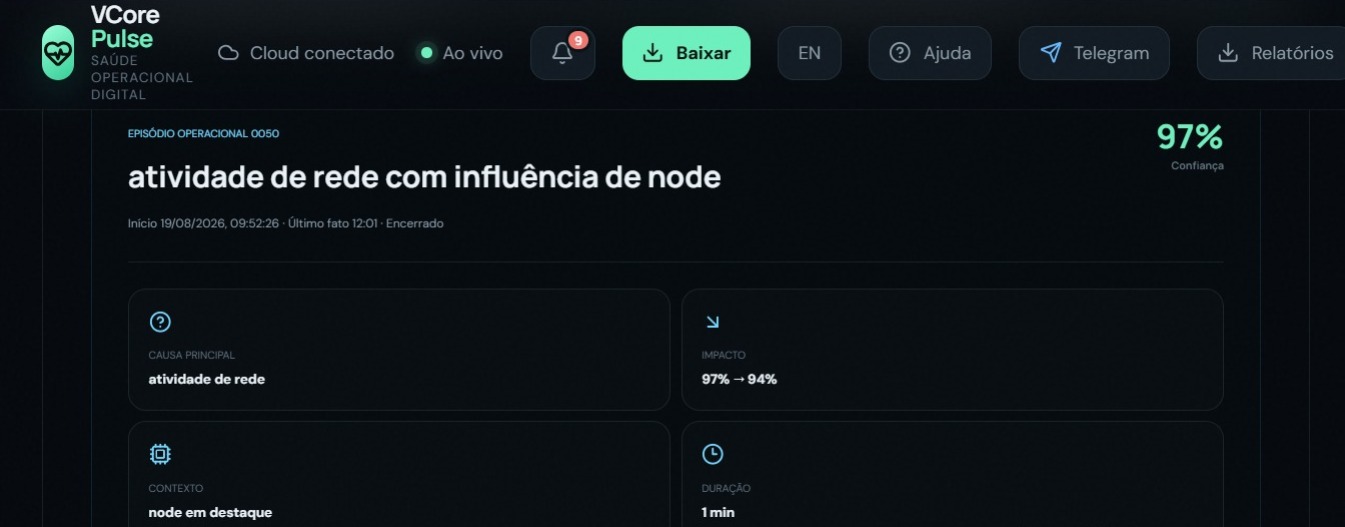
Charts show measurement trends: check the selected period, sample availability and context. Use the timeline to connect changes, impacts and recoveries. Select dates and shifts with available observations. A comparison without enough samples is unavailable, not invented. History belongs to the machine's identity.
Next chapterReports, notifications and languages
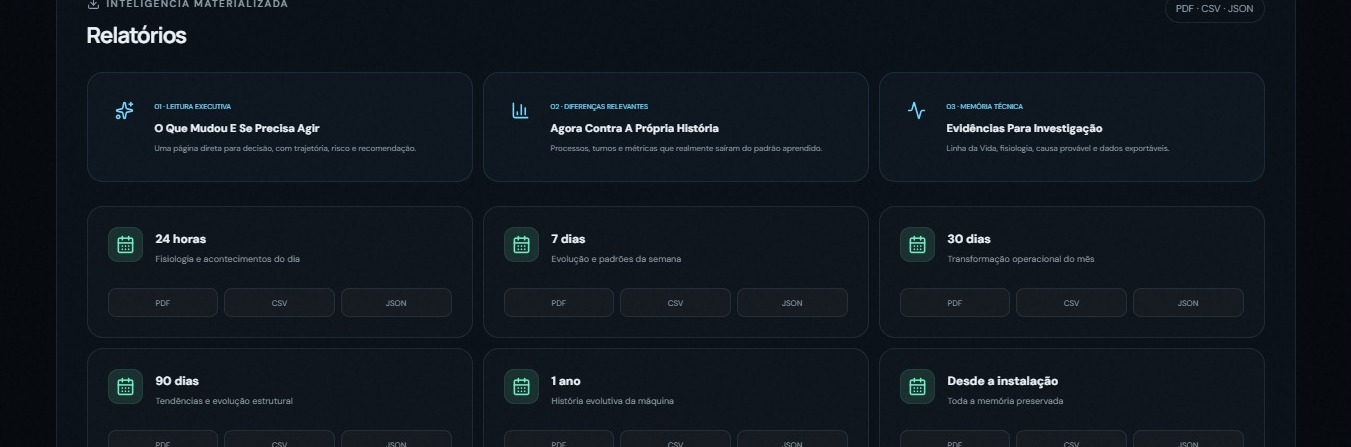
Choose an available period to view or generate reports. Pulse 2.2 improves period comparisons, executive summaries and event explanations, connecting charts to what happened. Periods without samples are not evidence of normal operation. Email delivery requires configuration and recipient confirmation. Telegram also requires explicit setup. Check delivery status: requesting delivery is not proof of receipt.
Portuguese, English, Spanish, Simplified Chinese and Traditional Chinese are supported by the interface. Switching languages does not change identity or historical records.
Next chapterTrial, licence and payments
Review current terms in the product. The current offer presents a 10-day trial and Pulse Solo at BRL 79.90 per machine/month; verify the final amount before payment.
- Open Buy licence or Renew licence.
- Complete buyer and billing details and review plan and period.
- Select Pix for a QR code and copy-and-paste code. Confirm your email if requested, then return to Pulse.
- Pay in your own banking application after checking recipient and amount.
- Wait for confirmation or select the payment-status check. Displaying a QR code does not activate a licence.
Card: payment is completed in C6's secure checkout. The local Pulse interface does not collect card number, expiry or CVV.
Switching from card to Pix: use the explicit option to close an unpaid card attempt. Switching requires bank confirmation. An in-progress attempt, timeout or approved payment never automatically authorizes another charge. After confirmed closure, review details and select Create PIX.
For purchases delivered by email, follow the instructions received. Having access to a computer does not grant access to another customer's commercial account.
Next chapterStop, restart and protect memory
Use Pulse's shutdown option before maintenance and reopen its shortcut to resume observation. Do not delete database files or terminate processes during writes.
Database lifecycle management can retain earlier periods in managed segments. Preserve these segments, control records and protected key material. A report export is not a complete backup. Restoration or moving to another user/computer requires a support procedure and access to the appropriate keys.
Next chapterLinux and macOS
Download the correct package from the downloads page. Runtime and native SQLCipher are included. macOS uses Keychain. Linux desktop requires an unlocked Secret Service with secret-tool; headless servers can explicitly select --headless-key-files, using separate mode-0600 key files. This is not an encrypted OS vault. Keep the keys with backups. Do not use sudo or disable encryption. Distribution signatures and Apple notarization are not available. Installation instructions.
VLP and platform roadmap
VLP connects ecosystem components under configured identity and permissions. Installing Pulse does not automatically connect the machine to a VCore Server. Integration availability depends on edition, configuration and validation.
Linux ARM64 now has a validation package. Windows ARM64 is the next extension; FreeBSD and enterprise Unix remain future work, with no installer in this release.
Next chapterSupport
Technical support · Sales · Engineering
Include OS, architecture, version/build, action and error code. Do not publish passwords, keys, tokens, operational databases or full payment details in issues. Review logs before sharing them.
Need help with the next step?
Tell us your system, version and what happened. Our team can help you continue safely.
Contact support ↗GitHub contains the public reference and documentation history. GitHub ↗